One part. Ready for the next step.
A customer uploads a sensor mount for an automotive test rig. They choose SLS nylon, set the quantity and attach the drawing to the part. Geometry and requirements enter the same workflow.
MES + CUSTOMER PORTAL
Connect quoting, planning, production, inspection, shipping, and invoicing in one system.
Target completion

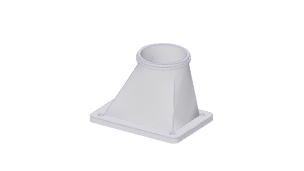
96 × 70 × 70 mm
Configuration
Partial Shipment50 × $9.60 / unit
$480.00CAD

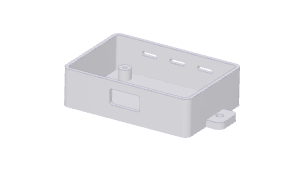
124 × 70 × 28 mm
Configuration
Post Production25 × $8.75 / unit
$218.75CAD
THE PLATFORM
From CAD upload and drawing analysis to build planning, quality and shipping: explore the connected workflows across the customer portal and MES.
One connected workflow
Follow one SLS sensor mount from customer geometry to a tracked shipment. Every handoff carries the same part forward.
A customer uploads a sensor mount for an automotive test rig. They choose SLS nylon, set the quantity and attach the drawing to the part. Geometry and requirements enter the same workflow.
DFM checks the part against the selected process and material. The thin cable guide on this mount needs review; its open bore and mounting holes remain accessible for powder removal.
Calculate material and build costs from the geometry, then spread batch costs across the order quantity. Staff review keeps the manufacturing exception and final quote under your control before the customer orders.
Allocate the ordered mounts to an SLS build with machine and material context. The traveller carries the same revision and requirements through printing, depowdering and inspection.
The projection comes from this same geometry. Record measurements against the drawing’s specified dimensions and tolerances, keeping the results with the part for release.
Select a ShipStation rate, prepare the package and purchase its label from the order. Tracking stays linked to the same parts and fulfillment record through delivery.
FROM ORDER DATA TO DOCUMENTS
Give the floor its instructions, customers their records and suppliers their requirements. Every document starts with the work already in Arcphase.
Due dates, part images, process settings, production notes and drawing requirements arrive together. Scan the traveller to return to the order.
As order requirements change, keep the paperwork current and route updated travellers to the right print station.
PAYMENTS & ADJUSTMENTS
Deposit requests and receipts, invoices, credit memos and refund receipts turn financial activity into a clear customer record.
QUALITY RECORDS
Generate NCR reports, management-review records and versioned QMS manuals from the quality workflows your team maintains.
DOCUMENT DELIVERY
Route generated paperwork to configured print stations. Keep travellers current as part requirements and production notes evolve.
FINANCE & COLLECTIONS
From the first deposit to the final payment. Connect invoicing, collections and accounting to the work already in Arcphase.
$1,240.00 overdue
SO-1042 · 12 sensor mounts
Generate invoices from order data. Request deposits and keep payments linked to the job.
See outstanding balances across customers, track payment history and automate overdue reminders.
Accept payments with Stripe and sync invoices and payments with QuickBooks Online.
CONNECTED TOOLS
Accounting, payments, shipping and communication belong in the manufacturing workflow. Connect the services your operation depends on.
Compare rates, buy labels and track shipments from the order.
Sync invoices and payments with QuickBooks Online.
Accept payments through checkout and track them against the job.
Connect Gmail to read, send and reply to customer conversations from your workspace.
Quality management, automatic customer updates and contextual follow-up—all connected to your orders.
Connect inspection to your wider quality system: non-conformances, corrective actions, audits, calibration and training records.
Send quote-ready emails, shipment updates and tracking links automatically. Use your templates and see delivery status in the workspace.
Prepare follow-up drafts using quote, order and part context—from abandoned quotes to post-sale check-ins and customer win-back.
SEE ARCPHASE
Tell us how your team quotes, manufactures and delivers. Let’s explore how Arcphase could fit your operation.
Give customers a direct path from CAD to checkout. They configure parts, attach drawings, place orders and return for repeat work—all through your portal.
Drag & drop your CAD files here
or click to browse from your computer